Automate with the API and webhooks
Create a scoped API token, call the REST API with curl, and verify signed webhook events from Veltra.
10 min Developers
On this page
Everything in the studio's production flow is also available through a JSON API: drafts, builds, claim sign-off, reviews, notes and scheduling. Webhooks tell your systems when something happens, so you don't have to poll.
The API covers the human-in-the-loop gates, but it doesn't bypass them. Approval still follows the channel's approval policy, exactly as in the studio.
Before you start #
- You need a role on the channel. Any channel role can create a token.
- To add webhooks, you need the Channel admin role.
- Have somewhere safe to keep secrets, such as a secret manager.
The base URL is your studio host plus /api/v1, for example https://studio.theveltra.com/api/v1. All requests and responses are JSON.
Step 1: Create a token #
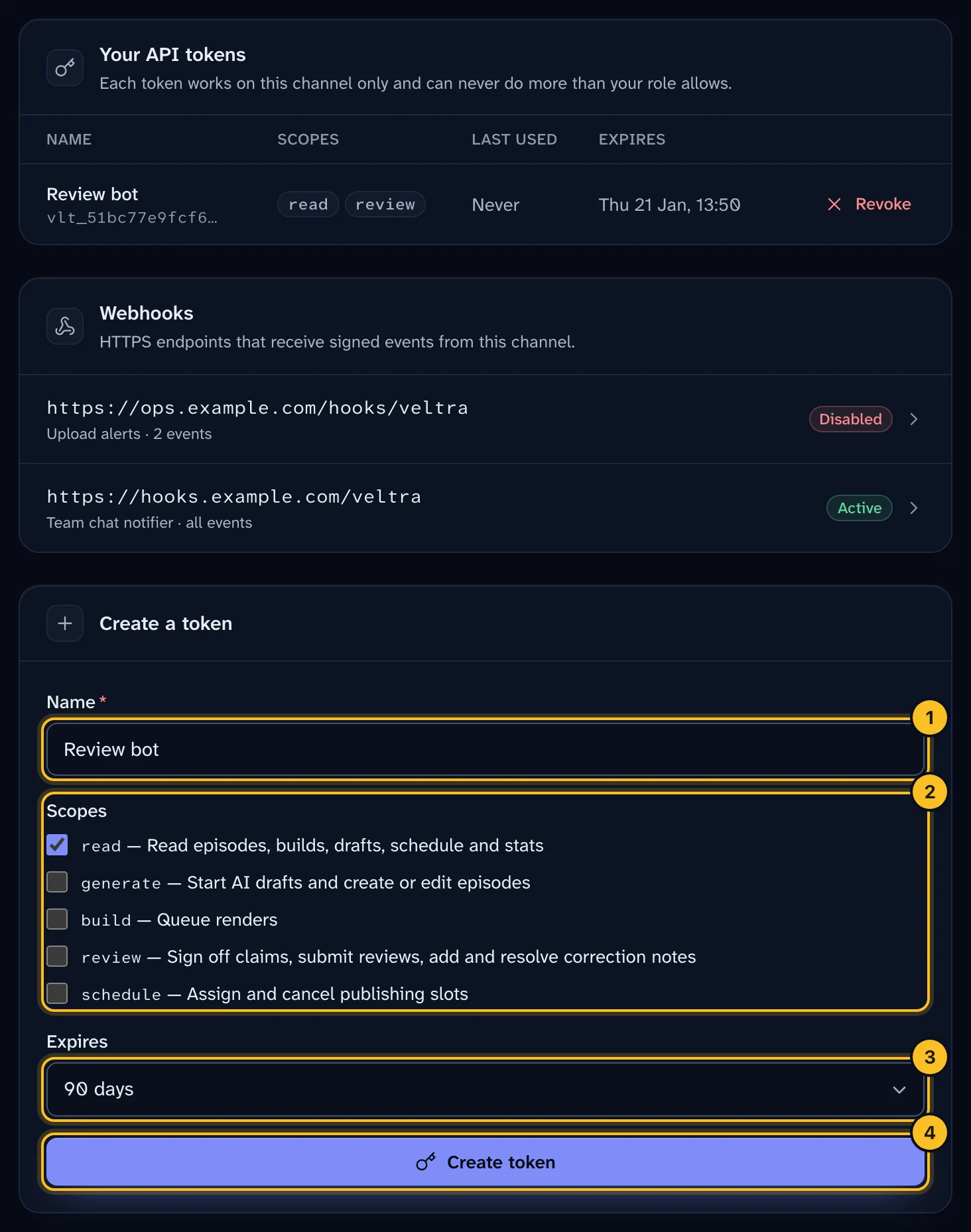
- Open Settings, then API & webhooks.
- Under Create a token, give it a Name, for example "Review bot".
- Tick the Scopes it needs. Only give it what it uses.
- Choose when it Expires: 30 days, 90 days, 1 year or Never. The default is 90 days.
- Select Create token.
- Copy the token now. It's shown only once.
 (opens full size in a new tab)
A token looks like vlt_<12-character id>_<secret>. Veltra stores only a hash of it.
Scopes #
| Scope | Allows |
|---|---|
read |
Read episodes, builds, drafts, schedule and stats |
generate |
Start AI drafts; create or edit episodes |
build |
Queue renders |
review |
Sign off claims, submit reviews, add and resolve correction notes |
schedule |
Assign and cancel publishing slots |
A token acts as you, on one channel. It can only do what both your channel roles and its scopes allow. For example, an SME reviewer can create a read + review token, but not a build token. Scopes your role can't use are greyed out.
Tokens can never manage settings, members, invites, provider keys, the YouTube connection, webhooks or other tokens. They also can't use the visual editor or the mixer. Those need a signed-in person.
The token stops working as soon as it's revoked or expires, or when you lose access to the channel.
Step 2: Call the API #
Pass the token as a bearer token:
export VELTRA_TOKEN="vlt_..."
export API="https://studio.theveltra.com/api/v1"

# Who am I, and what can this token do?
curl -s -H "Authorization: Bearer $VELTRA_TOKEN" "$API/me"

# Episodes waiting for review
curl -s -H "Authorization: Bearer $VELTRA_TOKEN" "$API/episodes?status=qc"
Start a draft from a topic. This needs the generate scope and returns 202 while the draft is written:
curl -s -X POST -H "Authorization: Bearer $VELTRA_TOKEN" -H "Content-Type: application/json" \
     -d '{"kind": "prompt", "text": "Why a normal cholesterol test can miss an inherited risk"}' \
     "$API/jobs"
Leave a correction note 12.5 seconds into the video. This needs the review scope:
curl -s -X POST -H "Authorization: Bearer $VELTRA_TOKEN" -H "Content-Type: application/json" \
     -d '{"category": "caption", "body": "Typo: decilitre", "at_seconds": 12.5}' \
     "$API/episodes/<episode-id>/feedback"
Errors return {"detail": "..."} with one of these codes:
| Code | Meaning |
|---|---|
401 |
Bad, expired or revoked token |
403 |
Your role or the token's scopes don't allow it |
404 |
Not found in this channel |
409 |
Not allowed in the episode's current state |
400 / 422 |
The request body is invalid |
The full endpoint list and request bodies are in docs/API.md, which ships with Veltra.
Step 3: Add a webhook #
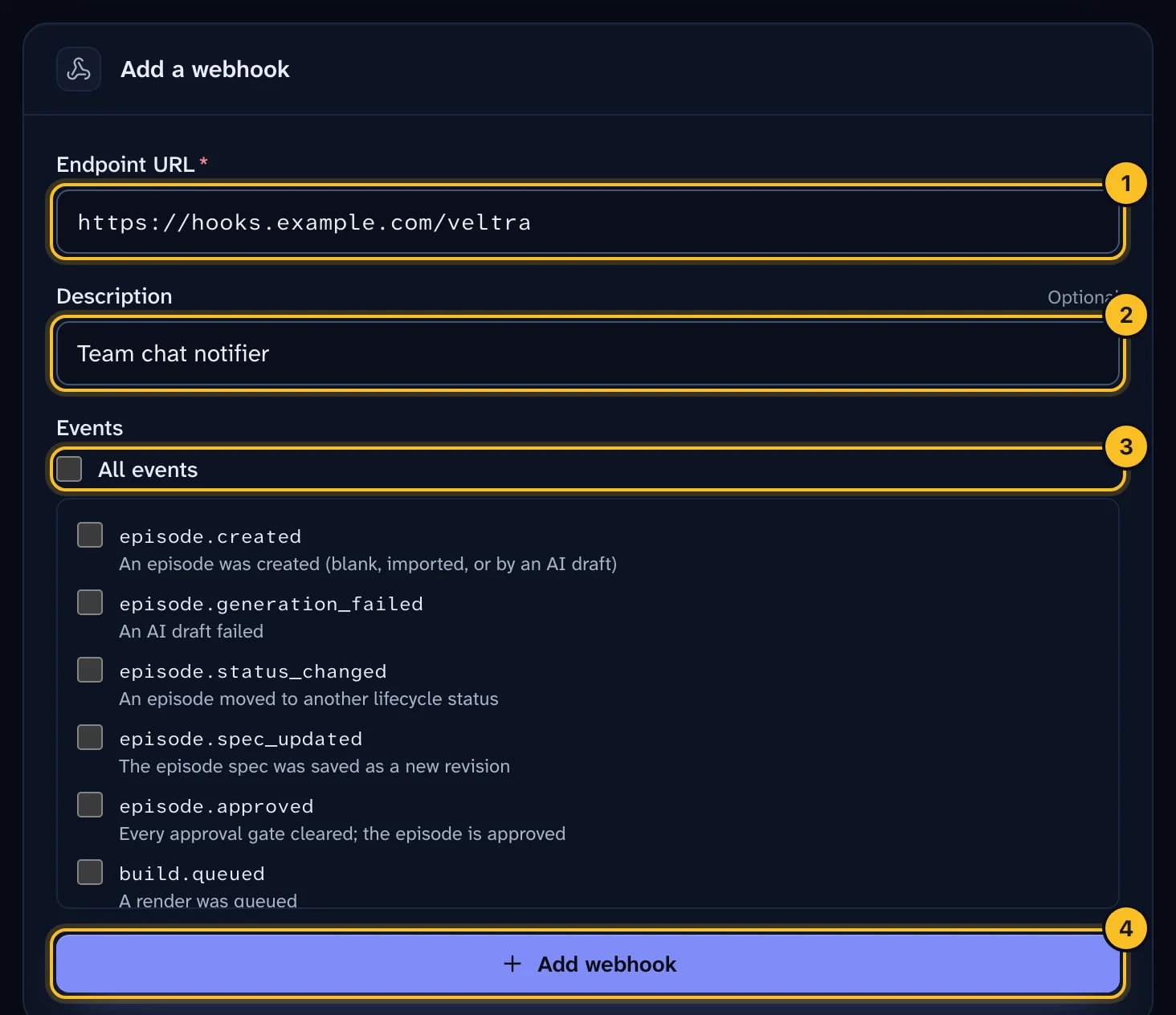
- In API & webhooks, select Add webhook.
- Enter the Endpoint URL. In production it must be
https://and reach a public address. - Optional: add a Description, such as "Slack notifier".
- Choose the Events to receive, or all of them.
- Save, then copy the signing secret (
whsec_…). It's shown only once. You can rotate it later with Rotate secret. - Select Send test event to send a
ping.
 (opens full size in a new tab)
Useful events include build.succeeded, build.failed, review.changes_requested, episode.approved, video.uploaded and video.published.
Step 4: Verify the signature #
Every request has a Veltra-Signature header like t=1792656000,v1=5d41…. The v1 value is the hex HMAC-SHA256 of {t}.{raw request body}, keyed with your signing secret.
When you verify:
- Use the raw body bytes, not re-serialised JSON.
- Use a constant-time comparison.
- Reject timestamps more than 5 minutes old.
import hashlib, hmac, time

def verify(secret: str, body: bytes, header: str, tolerance: int = 300) -> bool:
    fields = dict(p.split("=", 1) for p in header.split(","))
    ts = int(fields["t"])
    if abs(time.time() - ts) > tolerance:
        return False
    expected = hmac.new(secret.encode(), f"{ts}.".encode() + body, hashlib.sha256).hexdigest()
    return hmac.compare_digest(expected, fields.get("v1", ""))
What happens next #
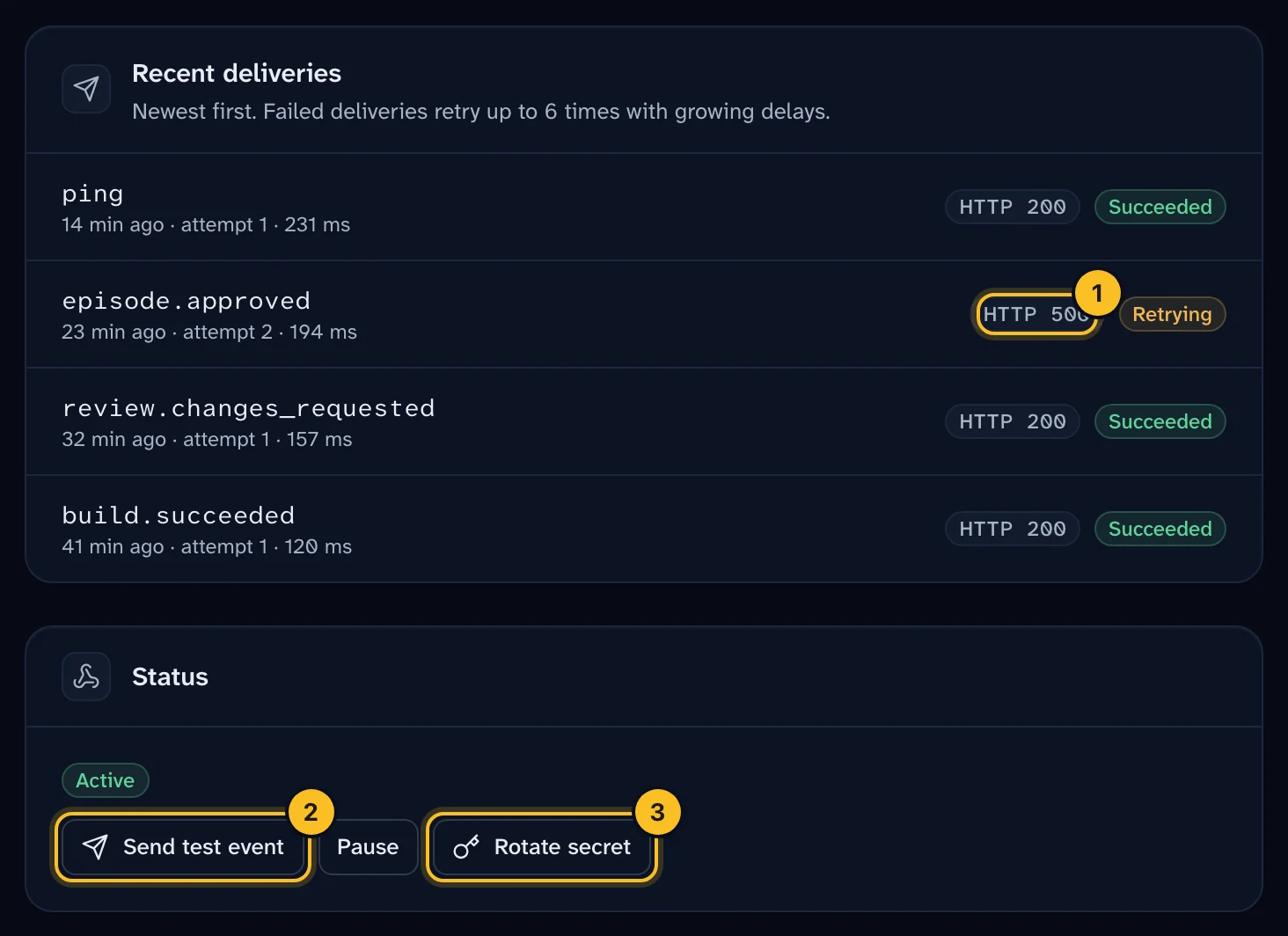
- Delivery. Respond with any
2xxwithin 10 seconds. Redirects aren't followed. - Retries. Failed deliveries are retried after 1 minute, 5 minutes, 30 minutes, 2 hours and 6 hours.
- Duplicates. Delivery is at-least-once. Retries reuse the same
Veltra-Event-Idheader, so use it to ignore duplicates. - Delivery log. Open the webhook to see every attempt, with its status, payload and response. Select Redeliver to send one again.
 (opens full size in a new tab)
Troubleshooting #
401 on every call. The token is wrong, expired or revoked. Check you copied the whole value, including the vlt_ prefix.
403 on a call that should work. Your token lacks the scope, or your role doesn't allow the action. Check GET /me.
"This webhook was disabled automatically." See Troubleshooting.