Troubleshooting
What to do when a draft or video fails, the automatic quality check fails, an upload fails, or a webhook is disabled.
8 min Getting started
Most problems in Veltra are temporary or have a clear fix. Find the message you're seeing below.
Draft failed #
You see "We couldn't write the last draft."
- Select Write my draft again. Your topic or script is kept.
- If it fails again, open Technical details and read the message.
 (opens full size in a new tab)
| Message | What to do |
|---|---|
| Rate limited (429); try again in a minute | Wait a minute and try again. |
| Quota exhausted (429); check billing | An org admin needs to check billing with the AI provider. |
| A key or authentication error | An org admin needs to test the key. See Connect AI and voice providers. |
Build failed #
You see "The video didn't finish." In advanced mode, the latest build shows as failed.
Nothing is lost. Your words, voice and music choices are saved.
- Select Try again, or Rebuild on the episode page.
- If it fails again, open Technical details, or the build log on the episode page. Look at the last lines.
Common causes:
- The music file is missing. A music track that can't be found stops the mix. Pick the track again, or choose No music. See Music and sound levels.
- The spec has errors. Someone edited the spec and it no longer passes validation. Open Edit spec, select Check, and fix the errors it lists.
- The server was busy. Videos are made one at a time. Each takes a few minutes, so a queued one waits its turn.
If it keeps failing with no clear reason, ask whoever runs your Veltra installation to check the workers.
QA failed #
You see "Our automatic check found something to fix", or the blocker "Automatic QA failed" with a list of checks.
The video was made, but it failed one of the automatic quality checks. A video that fails QA can't be approved.
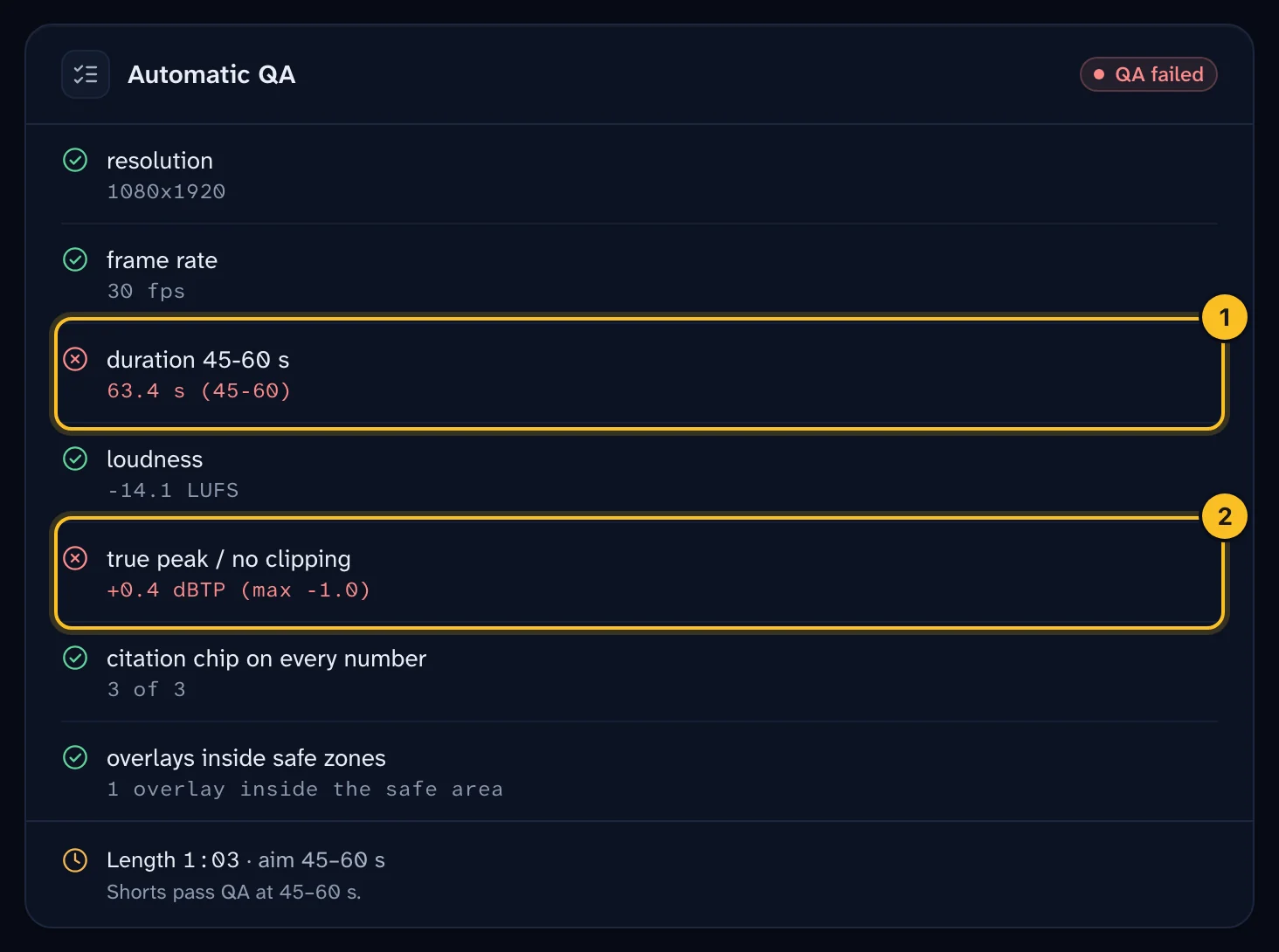 (opens full size in a new tab)
| Check | What it means | Fix |
|---|---|---|
| resolution | The video isn't 1080 × 1920. | Make the video again. If it repeats, report it. |
| frame rate | The video isn't 30 frames per second. | Make the video again. If it repeats, report it. |
| duration 45-60 s | The video is shorter than 45 or longer than 60 seconds. | Add or cut narration, then make it again. About 130 words gives 55 seconds. |
| loudness | The final level is off target by more than 1 LUFS. | Check the mixer levels. Lower the voice trim if it's very loud. |
| true peak / no clipping | The sound clips. | Lower Trim before mastering or the sound effect levels. |
| audio format | The audio isn't 48 kHz stereo AAC. | Make the video again. If it repeats, report it. |
| citation chip on every number | A number on screen has no source chip. | Add a source for the claim. See Paste a script instead of a topic. |
| overlays inside safe zones | A logo sits under YouTube's buttons or captions. | See Brand your videos. |
| voice matches the episode spec | The premium voice wasn't available, so the built-in voice was used. | An org admin should test the ElevenLabs key, then make the video again. |
Upload failed #
On the Schedule page, the slot shows as failed with a message.
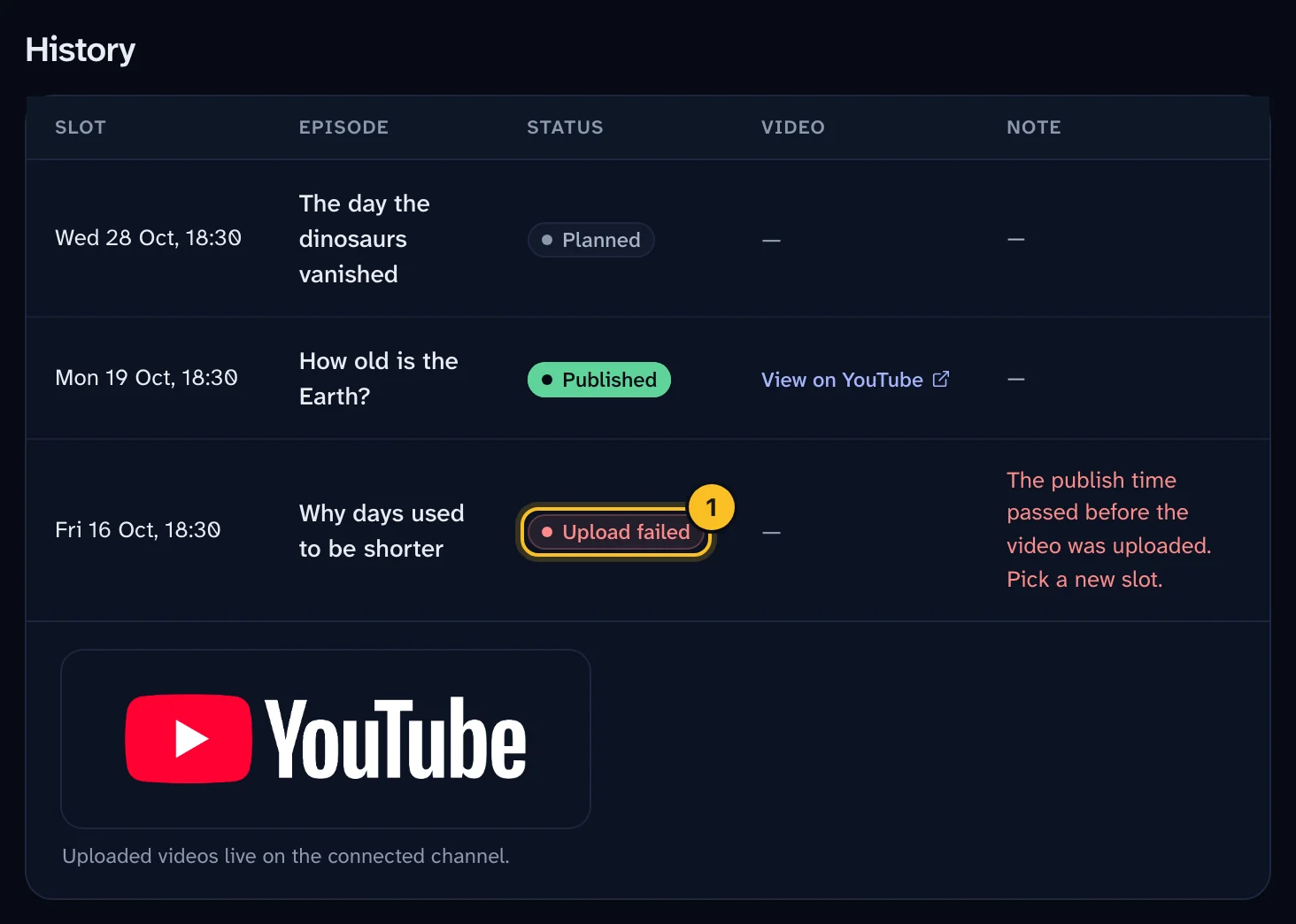 (opens full size in a new tab)
| Message | What to do |
|---|---|
| The publish time passed before the video was uploaded. Pick a new slot. | The slot passed with no upload, usually because Automatic upload is off. Assign the episode to a new slot. |
| Daily upload quota used up; uploads resume after midnight Pacific | YouTube's daily limit is reached. Wait, or pick a later slot. |
| Daily API quota would be exceeded | Other YouTube calls used today's 10,000 units. Try after midnight Pacific. |
| The publish time has passed; pick a new slot | You selected Upload now too close to, or after, the publish time. Pick a later slot. |
| The approved video file is missing on the server | Ask whoever runs your installation. The episode may need to be made and approved again. |
| Choose the YouTube category and whether the videos are made for kids | A channel admin should save YouTube upload defaults in Settings. |
| The slot's channel is archived or missing | An org admin can check the channel under Settings → Organization. |
If YouTube rejects the upload because your login expired, a channel admin should select Connect YouTube again in Settings → Channel, then reschedule. See Schedule and publish to YouTube.
The video is never made public by mistake. It's always uploaded as private, with a publish time.
Webhook disabled #
You see "This webhook was disabled automatically."
Veltra disables an endpoint after 15 events in a row fail all their retries. Each event is tried 6 times over about 9 hours.
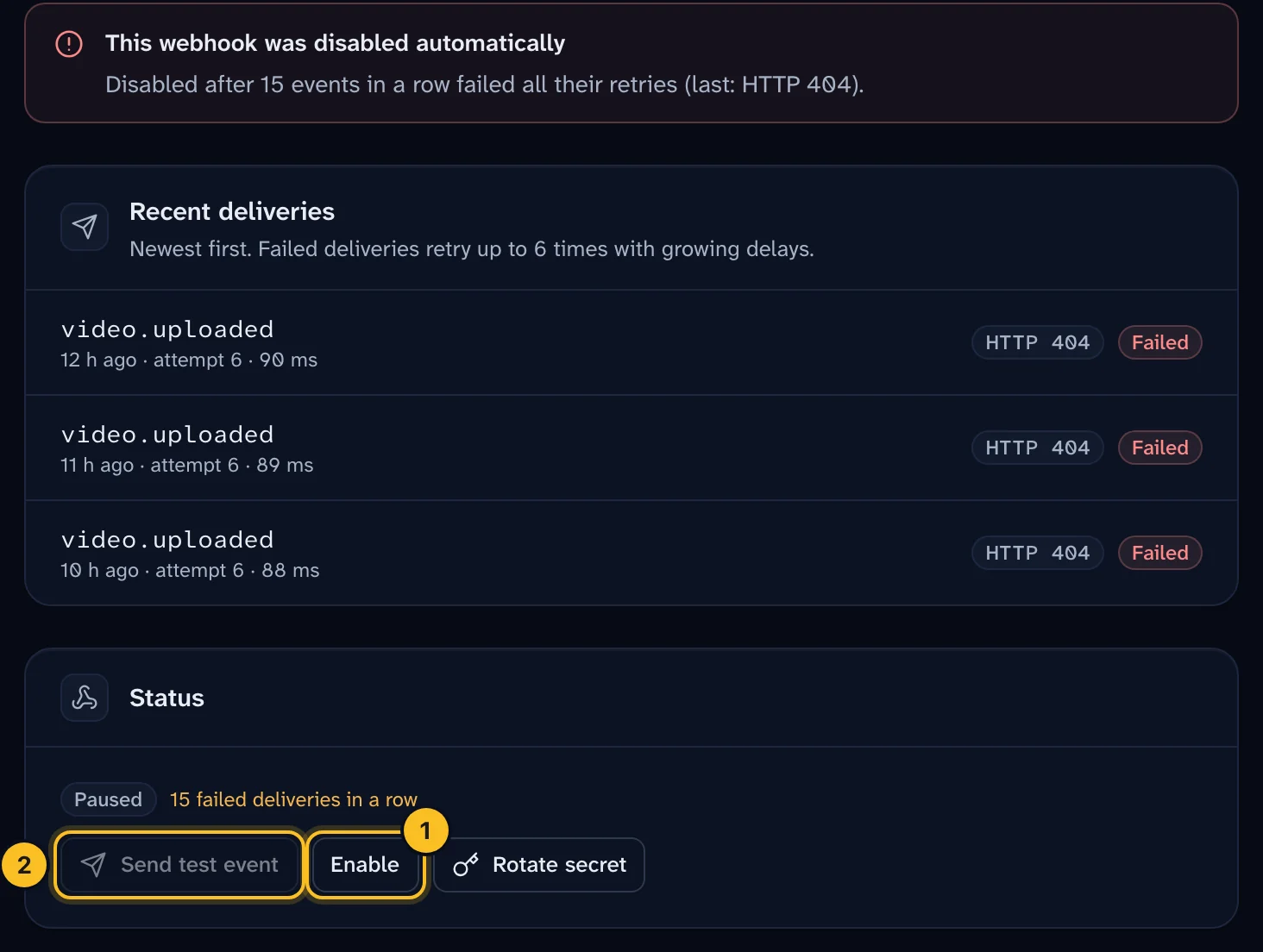 (opens full size in a new tab)
- Open Settings → API & webhooks and select the webhook.
- Read Recent deliveries. Each attempt shows the HTTP status and the response body.
- Fix your endpoint. Common causes: it doesn't return
2xxwithin 10 seconds, it redirects, or it rejects the signature. - Select Enable.
- Select Send test event and check that it succeeds.
- Select Redeliver on any important events you missed.
If your endpoint rejects valid signatures, check that you verify the raw body bytes. See Automate with the API and webhooks.
Still stuck? #
Ask your channel admin, or the org admin who invited you. Include the episode, the time it happened and the exact message.