Connect AI and voice providers
Add keys for Claude, OpenAI, Gemini, ElevenLabs, Freesound and a Whisper service, test them, and choose which service handles each task.
6 min Admin
On this page
Veltra uses outside services to write drafts, voice the narration and search for music. You add your own keys once, for the whole organization, and choose which service does each job.
Before you start #
- You need to be an organization Owner or Org admin.
- Have an API key ready from each service you want to use. You create these in each provider's own console.
| Service | Used for | Needed? |
|---|---|---|
| Claude (Anthropic) | Writing drafts and structuring scripts | One AI writer is needed. Claude is the default. |
| ChatGPT (OpenAI) | Alternative writer for drafts and scripts | Optional |
| Gemini (Google) | Alternative writer for drafts and scripts | Optional |
| ElevenLabs | Premium narration voices | Optional. The built-in voice needs no key. |
| Freesound | Searching and importing CC-licensed music and sound effects | Optional, but needed for music search |
| Whisper service | Timing captions to your own recordings, and the speech check | Optional. The built-in Whisper needs no key. |
Step 1: Add a key #
- Open Settings, then API keys.
- Find the service and select Add key. If a key is already saved, the button says Replace.
- Optional: add a Label, for example "Production".
- Paste the key.
- Select Save key.
Keys are encrypted. Only the last 4 characters are ever shown. A key is sent to the worker only for the job that needs it, and is never logged.
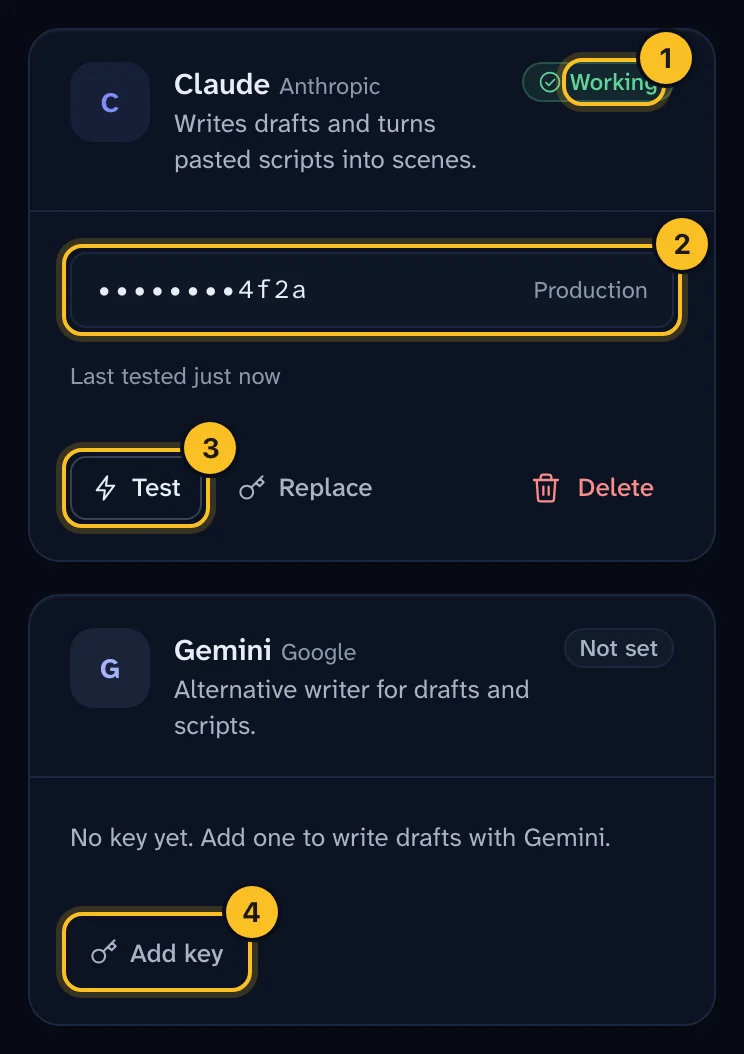 (opens full size in a new tab)
Step 2: Test the key #
Select Test next to the key. Veltra makes a small, cheap call to the service and shows the result:
| Status | Meaning |
|---|---|
| Working | The key is valid. |
| Failed | The service rejected the key. Check it, then select Replace. |
| Not tested | Nobody has tested this key yet. |
If a card says Server key or "Using the key from the server environment", your installation already has a key for that service. Adding one here lets you manage it without a redeploy. Your key takes priority.
Step 3: Choose which service does what #
Under Which service does what, pick a service for each task:
| Task | Choices | Default |
|---|---|---|
| Write a draft from a topic | Claude, OpenAI, Gemini | Claude |
| Structure a pasted script | Claude, OpenAI, Gemini | Claude |
| Narration voice | Built-in (Edge), ElevenLabs, Chatterbox | Built-in (Edge) |
| Music & sound search | Freesound | Freesound |
| Word timing & speech check | Built-in Whisper, Whisper service | Built-in Whisper |
Select Save routing. Routing applies to every channel in the organization. Services without a key can't be chosen.
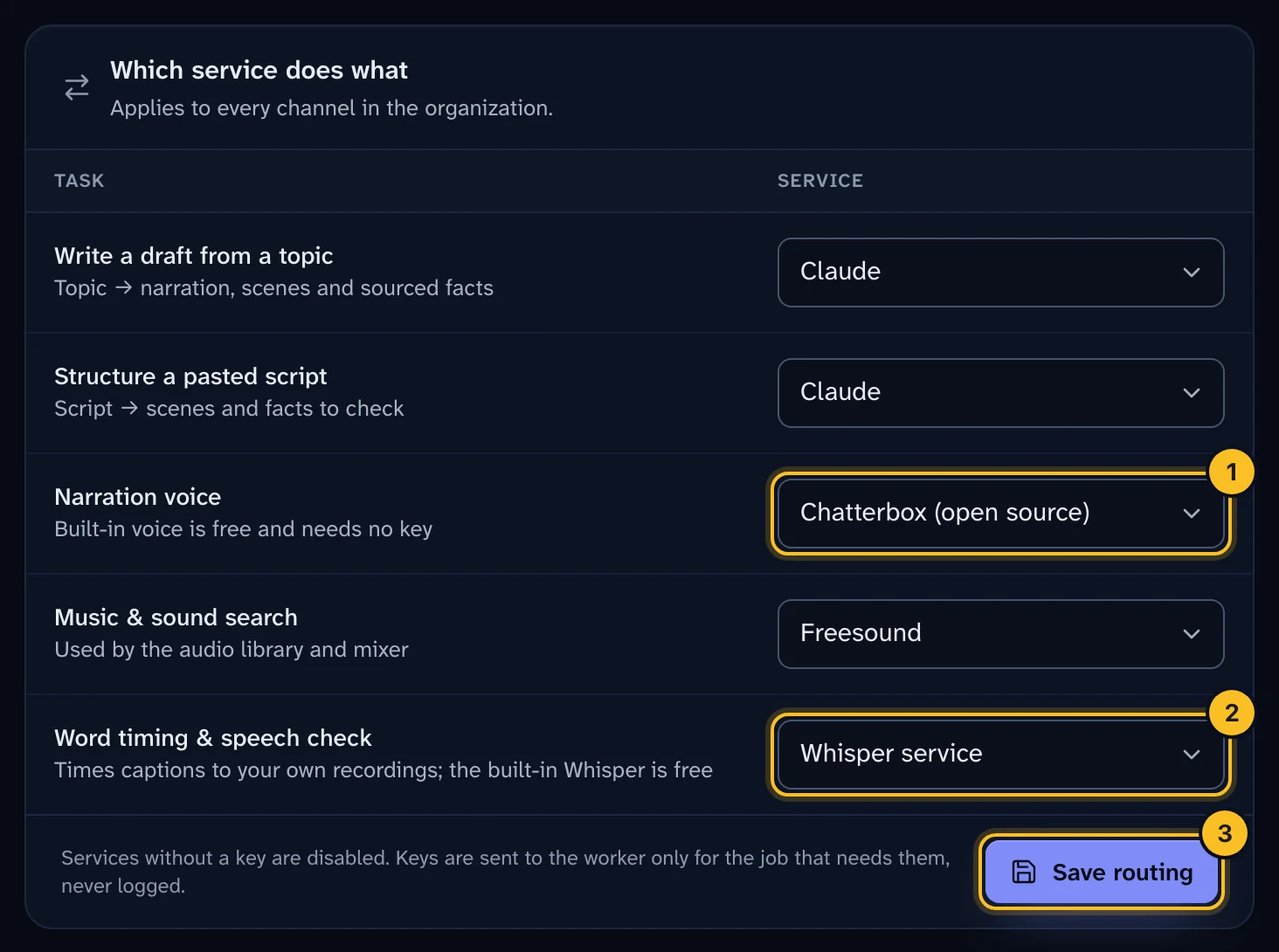 (opens full size in a new tab)
Step 4: Set the premium voice (optional) #
If you route narration to ElevenLabs, a channel admin picks the voice:
- Open Settings, then Channel.
- Under Defaults for new episodes, set Voice service to ElevenLabs.
- Enter the ElevenLabs voice ID.
- Select Save defaults.
In the Create a video wizard, people still choose a standard voice. It's used for quick previews.
Step 5: Connect a Whisper service (optional) #
Whisper turns speech into timed words. Veltra uses it when someone narrates a video with their own recording, and for the optional speech check. The built-in Whisper runs on Veltra's servers for free. To use a hosted model with your own key, or your own server:
- Under Whisper service, enter the Base URL and Model. OpenAI:
https://api.openai.com/v1andwhisper-1. Groq:https://api.groq.com/openai/v1andwhisper-large-v3-turbo. Your own server: its address ending in/v1. - Paste the API key, if the service needs one.
- Select Test connection. Veltra sends one second of silence and reports the answer time. Nothing is stored.
- Select Save and test, then route Word timing & speech check to Whisper service.
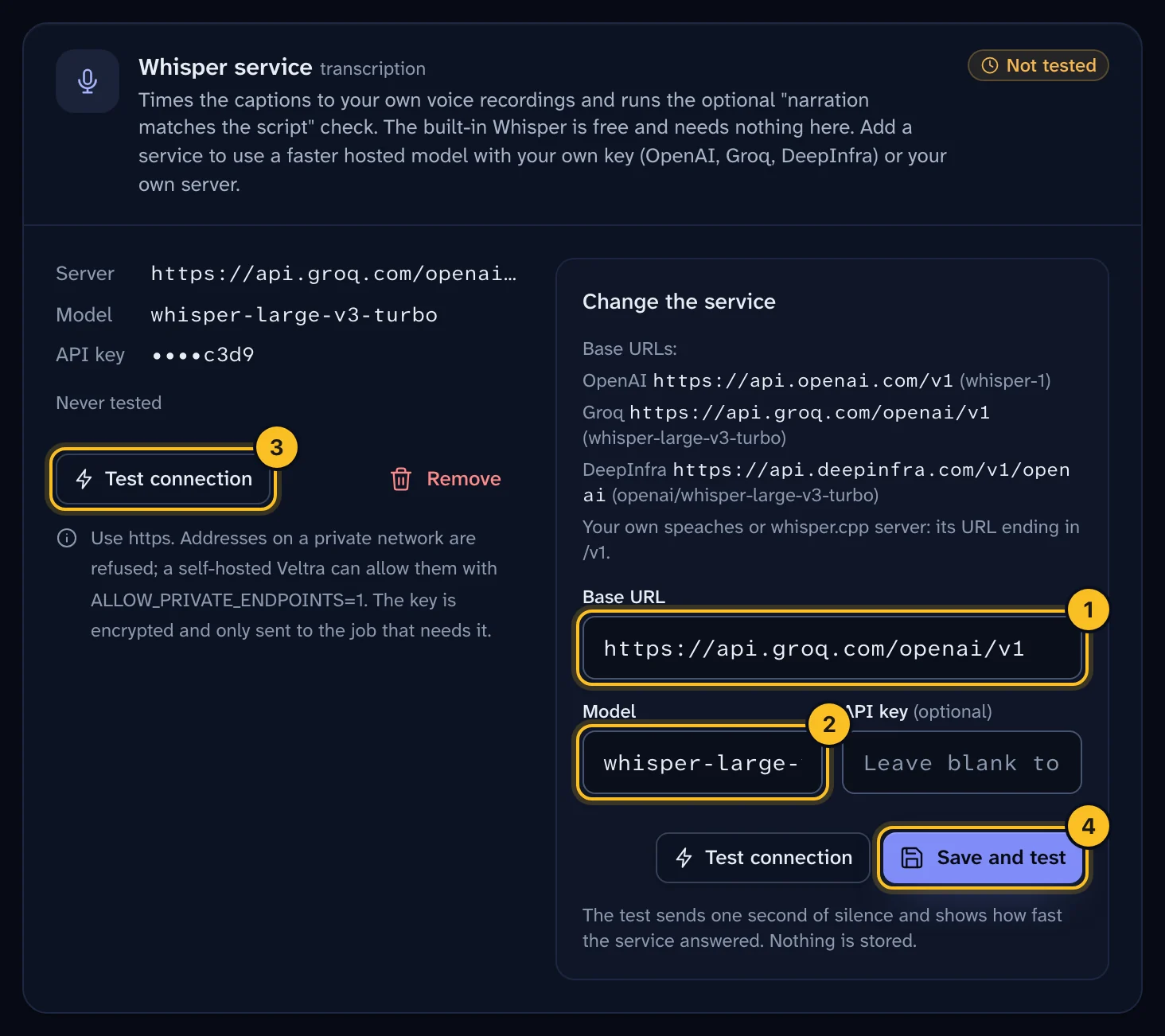 (opens full size in a new tab)
The URL must use https and a public address. If you run Veltra yourself next to a GPU server on the same network, your administrator can set ALLOW_PRIVATE_ENDPOINTS=1 to allow private addresses. See Use your own voice.
Step 6: Connect Chatterbox (optional) #
Chatterbox is an open-source voice from Resemble AI: 23 languages, and it can clone a voice from a short clip. Veltra doesn't run it, so connect one of these under Chatterbox:
- Your own server. Enter its Base URL ending in
/v1, plus a key if it needs one. - DeepInfra. Paste your DeepInfra API key. It costs about a tenth of a cent per narrated minute.
Select Test connection: Chatterbox speaks one word and Veltra reports the time. Then route Narration voice to Chatterbox. See Clone a voice with Chatterbox.
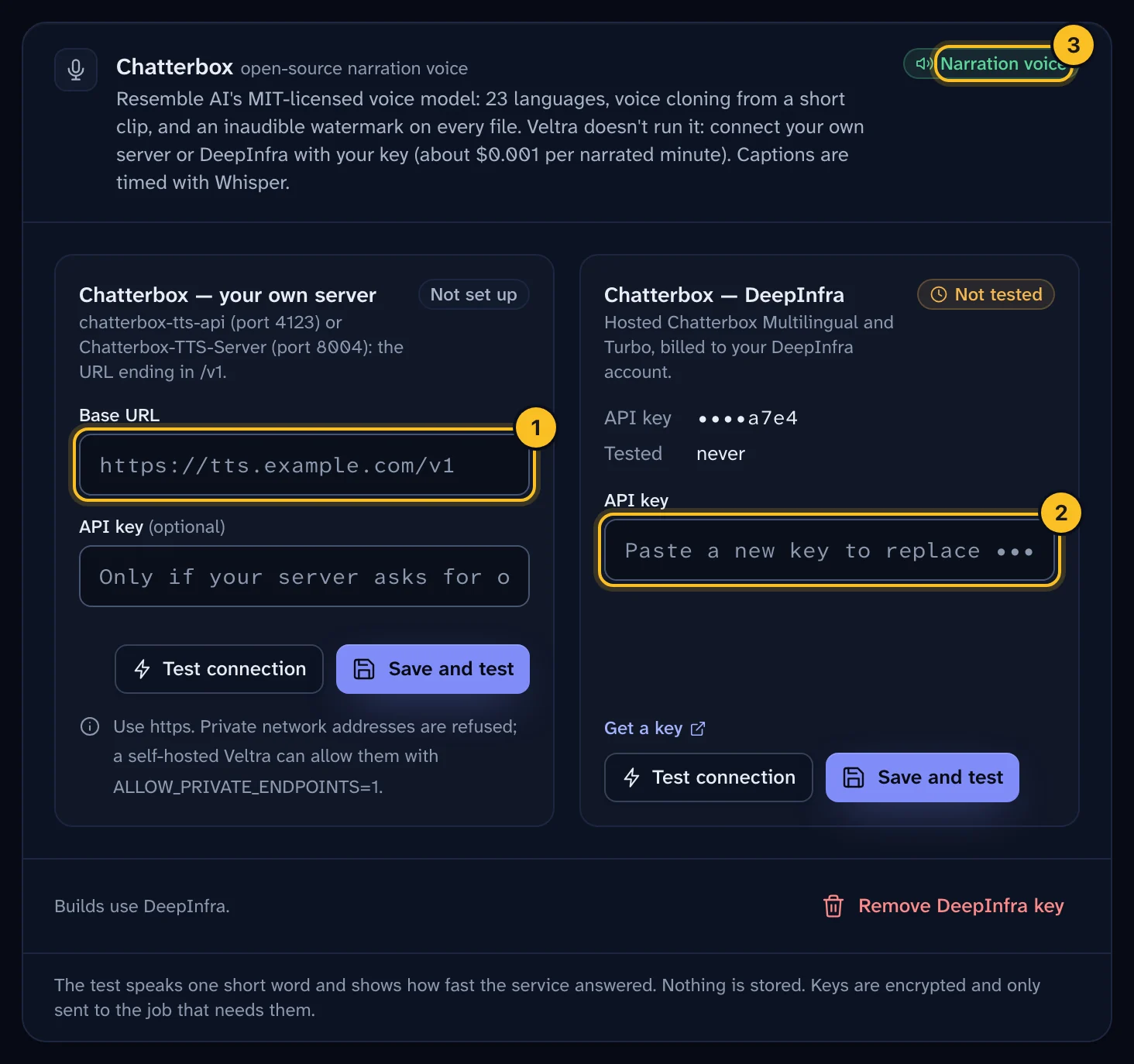 (opens full size in a new tab)
Track usage #
Each key's card shows this month's usage: requests, tokens, characters voiced and an estimated cost. Use it to spot unexpected spend.
What happens next #
New drafts use the services you chose. To check, create a test Short. See Create your first Short.
Troubleshooting #
A key shows Failed. Check that you copied the whole key, that it hasn't been revoked, and that billing is active with the provider.
Drafts fail with a quota or rate limit error. The provider is limiting your account. "Rate limited" usually clears in a minute. "Quota exhausted" means you need to check billing with the provider.
I deleted a key and drafts stopped. Tasks routed to a deleted key fall back to the server key, or stop if there isn't one. Add a new key, or change the routing.
Music search says it needs a Freesound key. Add one in this page, then try the search again.