Plans, credits and billing
See your plan and credits, change, cancel or resume your plan, buy credit packs and add-ons, and download Paddle's tax invoices from Settings, Billing.
6 min Admin
On this page
Everything about paying for Veltra lives in Settings, Billing. Only organization Owners and Org admins can open it. Prices and what each plan includes are on the public pricing page.
Before you start #
- You need to be an organization Owner or Org admin.
- Orders are processed by Paddle.com, our reseller and merchant of record, which handles payments, tax and invoices. Your card or UPI details go straight to Paddle; Veltra never sees or stores them.
- New workspaces start with a 14-day free trial: 3 Short credits, one channel and the Creator features, with no card needed.
How credits work #
A credit pays for one finished video. A Short uses 1 credit and a long video (up to 10 minutes) uses 5.
- The credit is used when the video's first build succeeds. Drafting, editing and reviewing are free, and a failed build never uses a credit.
- After review notes, you can rebuild the same video 5 times for free. Each further 5 rebuilds use the video's price once.
- Plan credits arrive when your plan renews and don't roll over. Annual plans get the whole year's credits at the start.
- Credit packs are one-time top-ups. They last 12 months and are used after your plan's credits.
If you run out, new builds pause with a message that tells you what to do. A build that is already in the queue still finishes.
Check your plan #
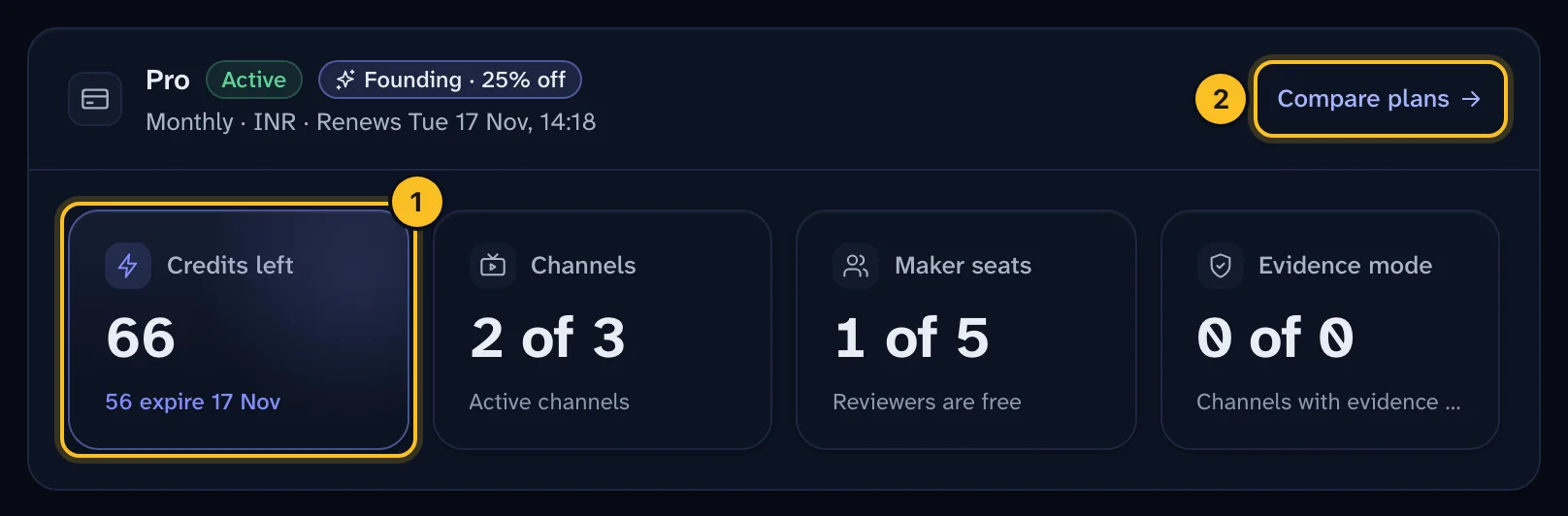
Open Settings, then the Billing tab. The top panel shows your plan, whether it's active, when it renews, and how much of it you're using.
 (opens full size in a new tab)
The tiles count what your plan limits:
- Channels: active channels. Archiving a channel frees its slot.
- Maker seats: people who create, edit or build videos, plus organization admins. Reviewers, subject-matter experts, commenters and viewers are always free.
- Evidence mode: channels with evidence mode on. It's an add-on on Creator, Pro and Studio, and included in Enterprise.
Choose or change your plan #
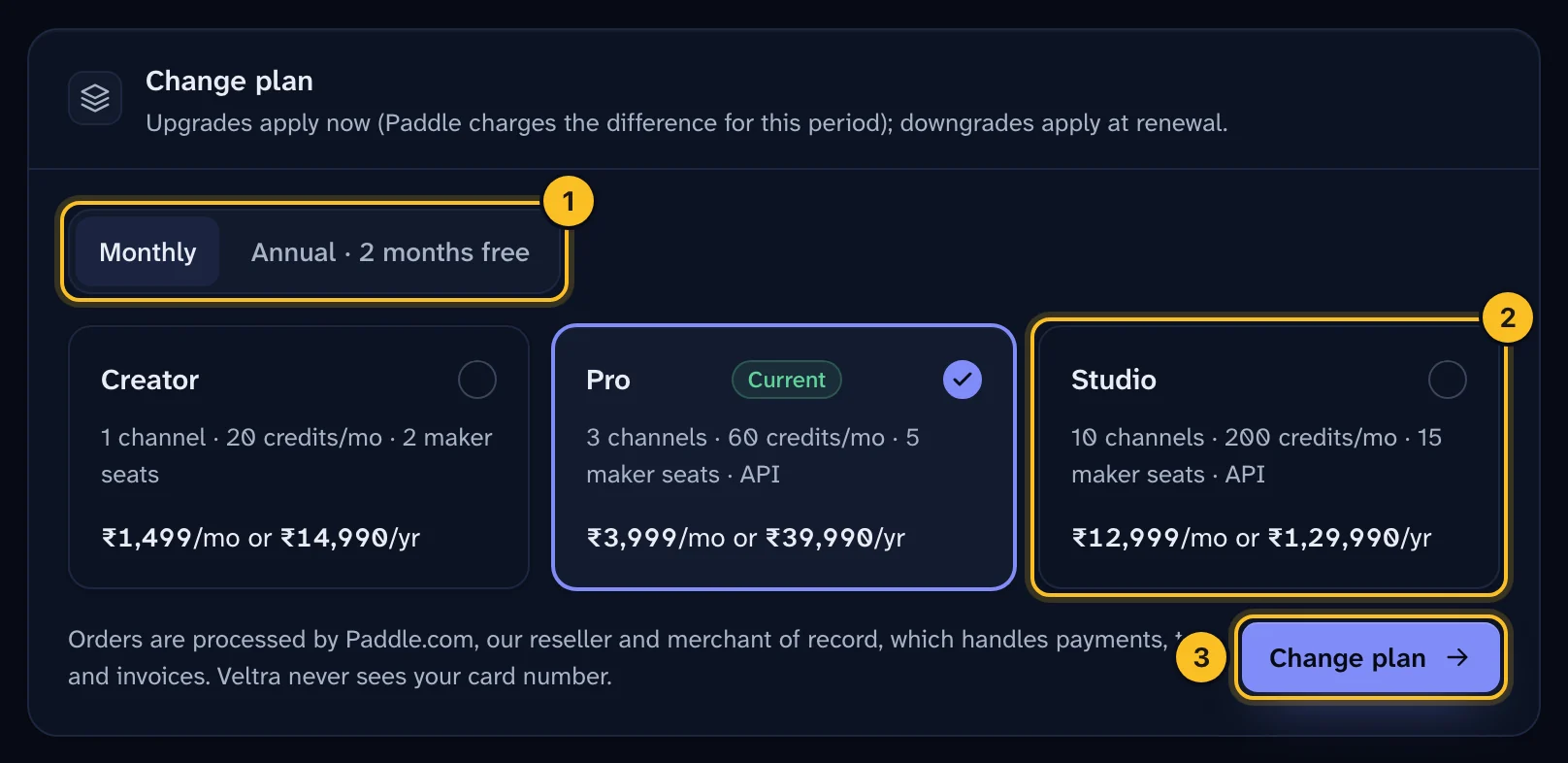
- In Change plan (or Choose a plan if you don't have one yet), pick Monthly or Annual. Annual gives you two months free.
- Pick a plan.
- Select Change plan, or Continue to payment for a first plan, then Open secure checkout and pay in Paddle's checkout window. Paddle shows the exact amount in your currency, with any tax, before you pay.
 (opens full size in a new tab)
Upgrades apply straight away: Paddle charges the difference for the rest of the billing period, and the extra credits for this period appear as soon as Paddle confirms. Downgrades apply when your current period ends, so you keep what you've paid for.
Your plan becomes active when Paddle confirms the payment, usually within a minute. The checkout page waits for that confirmation and then takes you back to Billing. If you were invited before public launch, you get the founding price, 25% off, for as long as that subscription stays active. Upgrading keeps the discount.
Buy a credit pack or an add-on #
- Credit packs: select Buy next to a pack. The 10-credit pack is available on every plan, the 50-credit pack on Pro and above, and the 200-credit pack on Studio.
- Add-ons: choose an add-on and the total quantity you want, then Update add-on. They're added to your plan's subscription and charged to the payment method you already use: extra units are charged now for the rest of the month, and removed units are credited at renewal. Extra channels are available on Pro and Studio, extra maker seats on Studio, and evidence mode on any paid plan. Remove takes one off.
Invoices, receipts and your payment method #
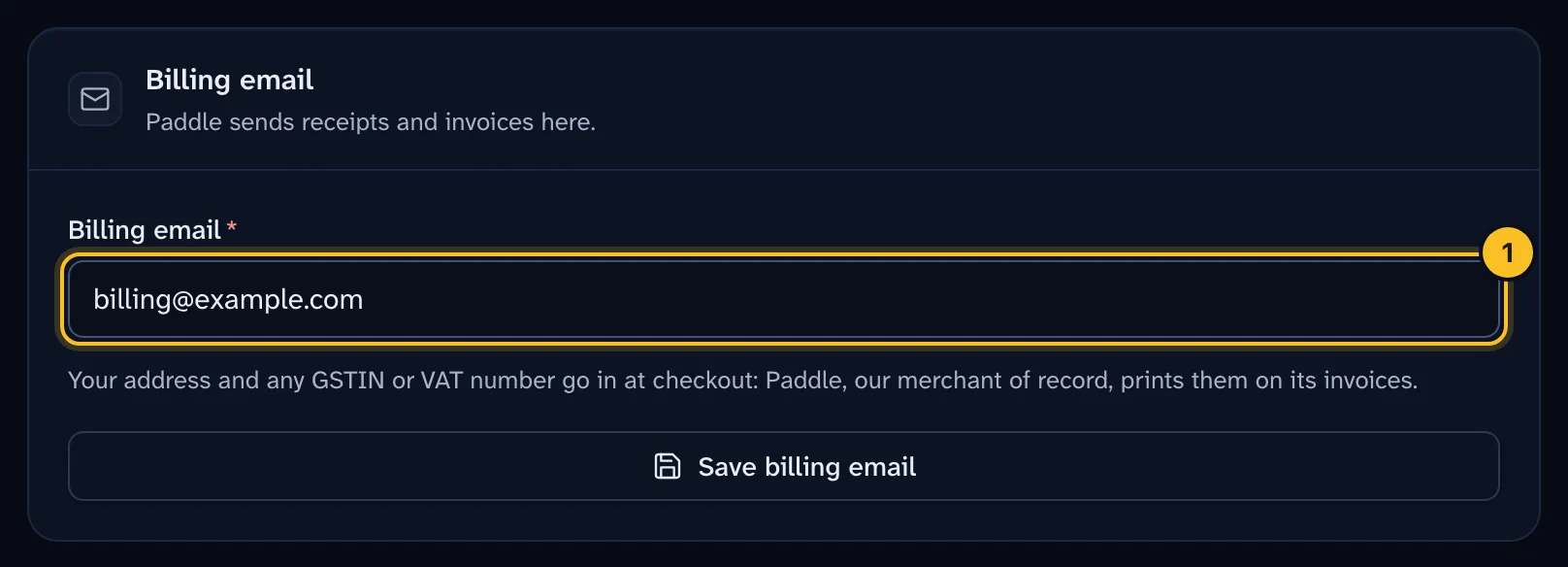
Paddle is the seller, so Paddle issues a compliant tax invoice for every charge and emails it, with the receipt, to your Billing email. Prices for India include GST. To get your business name and GSTIN (or VAT number) on the invoice, enter them in Paddle's checkout when you pay.
 (opens full size in a new tab)
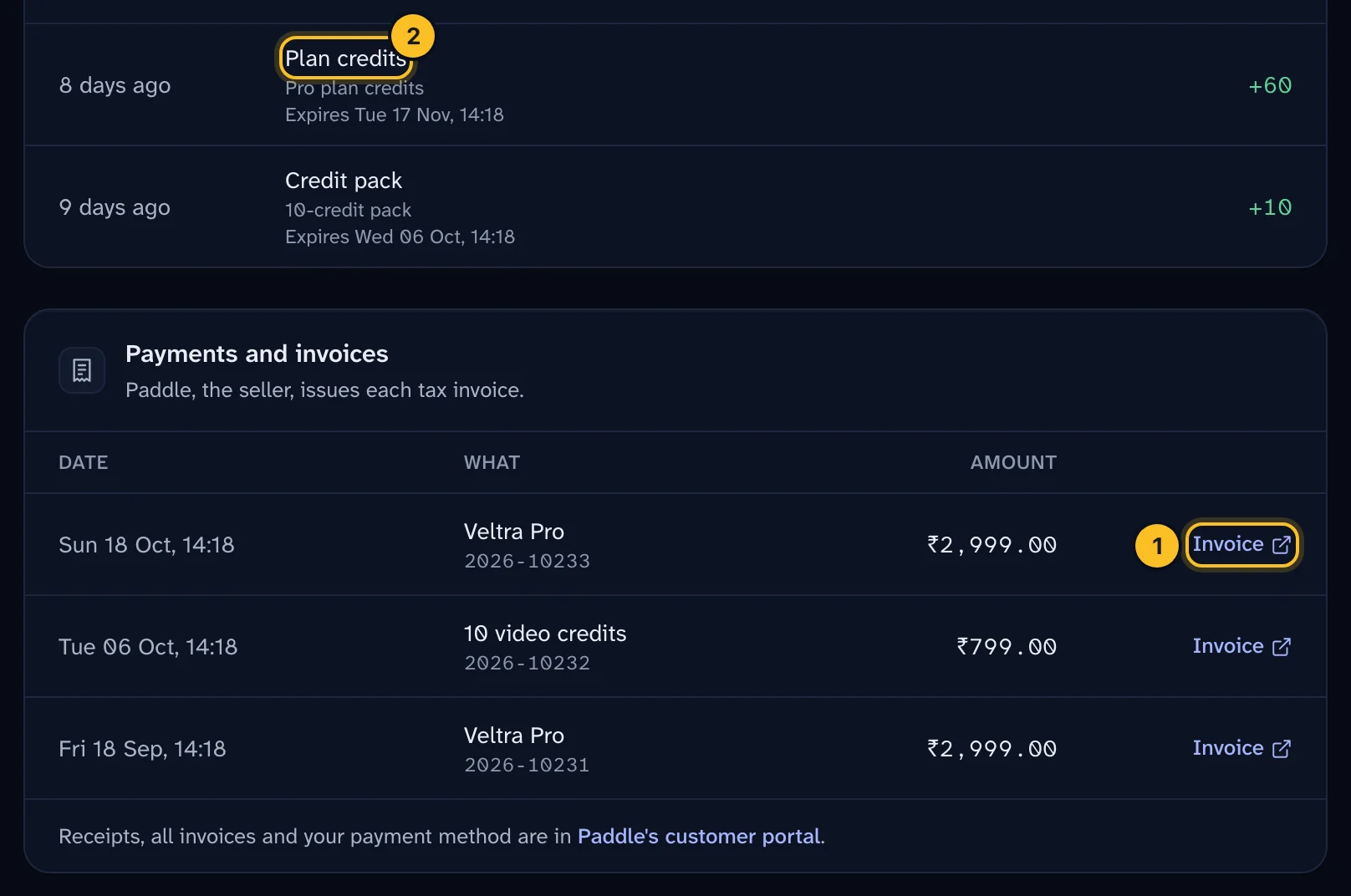
Payments and invoices lists every charge. Invoice (1) downloads Paddle's invoice for it. The link to Paddle's customer portal at the bottom opens every invoice and receipt and lets you update your card or UPI mandate. Credit history lists every grant, every video that used credits and anything that expired.
 (opens full size in a new tab)
UPI is offered to Indian buyers where Paddle enables it. Paddle only allows UPI for a subscription when the checkout totals under ₹15,000, so Pro and Studio annual plans are paid by card. A UPI mandate can't be charged straight away for an upgrade, so pay upgrades by card.
Cancel #
Select Cancel at period end. Your plan and add-ons keep working until the end of the period you've paid for and then stop renewing. Changed your mind? Resume undoes it until then. Nothing is deleted: your videos and history stay readable, and you can choose a plan again later. Refunds follow the refund and cancellation policy.
If something goes wrong #
- "Your last payment didn't go through": Paddle is retrying the renewal and your plan keeps working meanwhile. Select update the payment method to change your card or UPI mandate in Paddle's customer portal.
- "Your subscription is paused": building pauses and nothing is charged. Select Resume to start again.
- "This build needs 1 credit and you have 0 left": buy a credit pack or upgrade.
- "includes 1 active channel" or "maker seats": upgrade, buy an add-on, or archive a channel or change someone's role to a free reviewer role.